Digital Navigator Program
Get connected and improve your digital skills
In 2024, the college received a grant to help community members with connecting to the internet and reducing what's been termed the digital divide. So much of modern life--school, work, health and financial business--now requires the ability to use the internet effectively.
Technology Resource Guide
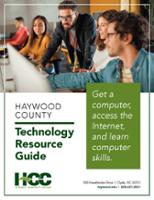
Haywood County and surrounding residents can use this guide to get a computer, find a class, and find affordable Internet service options. This guide is intended as an easy-to-read source of information for opportunities and helps in our area.
- HCC students may qualify for a free device from the Foundation while supplies are available. Fill out the Tools and Tech form on the Scholarships page and submit via email or deliver to the Foundation's office in the Balsam building.
- Windows laptops and mobile internet hotspots are also available for checkout by semester at the library in the Alder building.




Registered HCC students can checkout mobile hotspots from the library in the Alder building while supplies last.
Search for low-cost internet service using EveryoneOn.org. 
Other options in our area based on income:
Also, if you are receiving low-income assistance, signup for an internet service discount through the federal Lifeline program.
Our colleagues at WestNGN provide mobile internet hotspots at low cost through T-Mobile. ($15 per month)
Curious what other internet options are available at your home? Use the FCC's National Broadband Map. Enter your address and see what's available.
 The Northstar digital literacy curriculum is an industry standard in learning new
computer skills. You are welcome to create an account on our Northstar portal and learn on your own at no cost. After logging in, look for the Northstar Online
Learning (NSOL) link for self-paced, online learning.
The Northstar digital literacy curriculum is an industry standard in learning new
computer skills. You are welcome to create an account on our Northstar portal and learn on your own at no cost. After logging in, look for the Northstar Online
Learning (NSOL) link for self-paced, online learning.
Classes are available in English and Spanish and are self-guided. Take an assessment to see what you need to learn. Badges are available for each course you complete.
Here's a video demonstrating how to sign up for an NSOL account.
To use Northstar online you need: a device with internet access, an email address and the skills to check your email, and the skills to use an internet browser. Classes are most easily navigated using a desktop or laptop computer.
Curious what Northstar is like? Take a practice assessment here.
Other self-paced skills sites:
Looking for other computer classes? Please check out the college's online offerings in continuing education. These are short-term, and offerings include programming, computer application, and IT classes.
If you're looking to recycle or dispose of electronics in Haywood County, here are some options. If you'd like your data destroyed from a laptop or desktop, check with a local computer repair shop.
- Through the Trees in Brevard is a non-profit device upcycler. They take older computers, tablets and phones, refurbish them if possible, and then resell or redistribute them. They accept donations in-person or via mail and will securely remove user information. They currently accept: desktop and laptop computers and accessories (cables), mobile phones, tablets, TV sound bars & desktop speakers (3.5mm Aux), digital cameras, and gaming systems.
- Best Buy. Local stores accept electronics recycling--up to 10 items per household per day. Follow the link for more information.
- Haywood County's Materials Recovery Center near HCC's main campus. They do not accept electronics at the local convenience centers. More information.
Our Technology Partners
 |
 |
 |
Contact Us
Email us at hcc-digitalnav@haywood.edu.
Call us at our office phone 828.564.5121.
Office location: Regional High Tech Center, 112 Industrial Park Dr, Waynesville
The center is on the same street as Sarge's Animal Rescue Foundation. Also, the industrial park entrance is at the traffic light near Junaluska Animal Hospital. Here's a map.
 Also, anyone in North Carolina can dial 2-1-1 or 888-892-1162 for a free and confidential
call with a trained community resource specialist. They will listen, identify needs
and connect you to local resources. Thanks to partnership with United Way, these
agents can assist with digital resource needs, too.
Also, anyone in North Carolina can dial 2-1-1 or 888-892-1162 for a free and confidential
call with a trained community resource specialist. They will listen, identify needs
and connect you to local resources. Thanks to partnership with United Way, these
agents can assist with digital resource needs, too.